Contenttosocial

SEO - GEO Expert

Also sell your SEO/GEO content on social media.

SEO - GEO Expert

Also sell your SEO/GEO content as posts.

Under your brand, approved by your clients, billed by you every month.

Google AI Overviews cite social networks.

Top 50 cited sites
3M searches · Sept. 2026
Ahrefs

Diversification

How it works

From your SEO/GEO content to the published post.

Claude

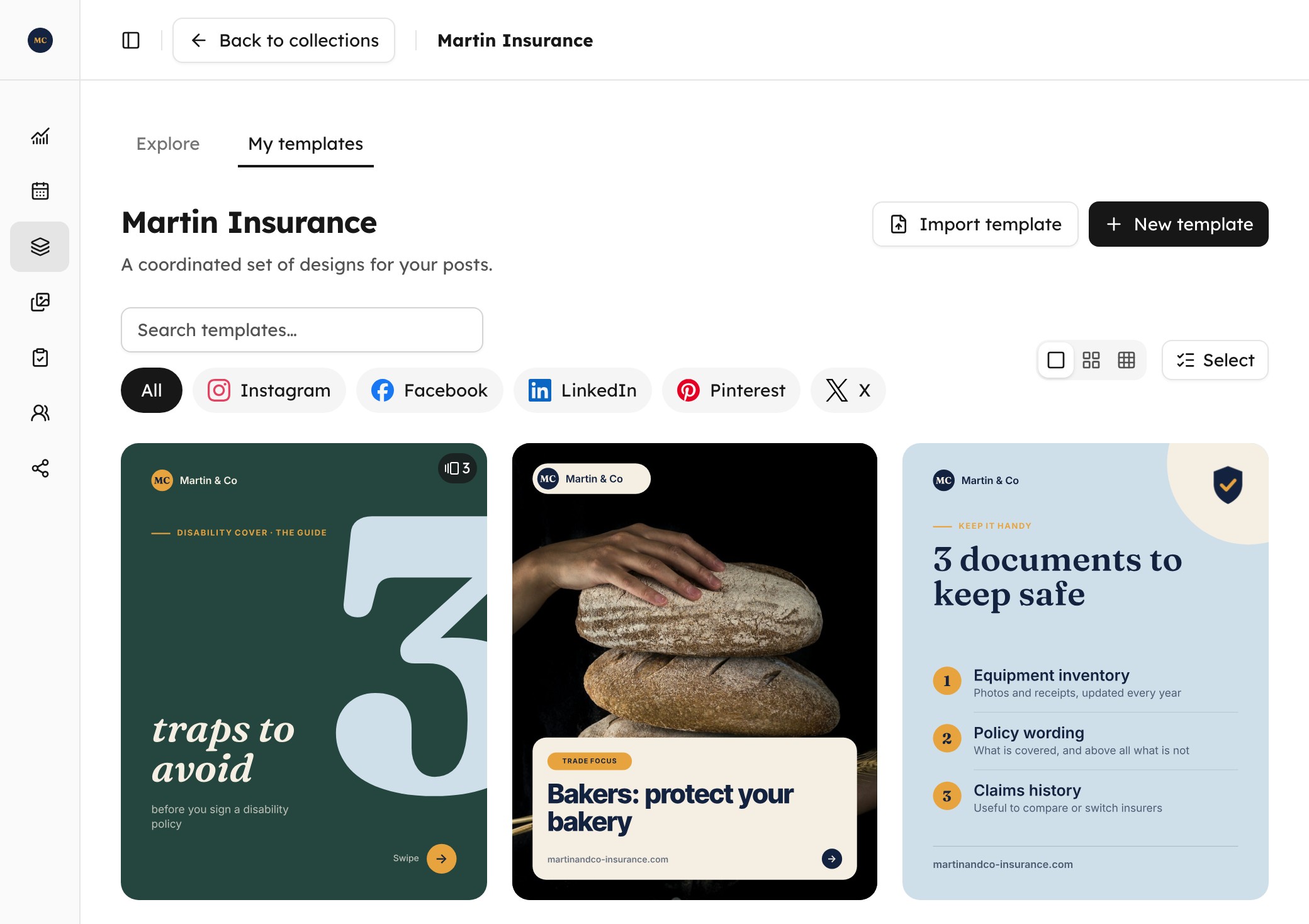
Create Martin & Co’s templates for Instagram and LinkedIn, to reuse for all their posts.

Done: their templates are ready, in Martin & Co’s brand guidelines. In Contenttosocial you can start from a template in the library or from a blank page; I took the library, to go faster.

Carousels, trade focus, checklist, question of the week, new page: they’re all in their collection, and with each post, only the texts, colours and images will change.

Martin & Co’s template collection in Contenttosocial: carousels, checklist and question of the week in their brand guidelines

For everyone who writes for Google and AI

What you gain.

  1. 01 · More revenue

    Margin

    +$1,805/ month

    with 5 clients at $400, plan deducted

    Run my numbers
  2. 02 · Better results

    Results

    12%

    of websites’ traffic came from social networks

    Ahrefs (new tab) · Mar. 2025 · 35,000 sites

  3. 03 · More time

    Time

    5 h/ week

    usually spent creating posts and getting them approved

    Sprout Social (new tab) · Feb. 2024 · 500 managers

Calculator · enter your numbers

How much does it earn you?

Example

5 clients × $400
$2,000
Freelance & Agencies plan, 5 workspaces
− $195

Your margin

$1,805/ monthGet started

Who it’s for

Who is it for?

One tool, three ways to use it.

  • Freelancers

    One more service for every client.

    • A white-label space per client, where they approve their posts.
    • Billed every month, at your rate.
    • A plan that follows your number of clients.
    Freelance & Agencies plan
  • Agencies

    All your clients, your whole team.

    • Up to 40 white-label client spaces.
    • Your team at $5 excl. tax per colleague a month: admin, manager or contributor.
    • Each one only sees the spaces you choose.
    Freelance & Agencies plan
  • Brands

    Your content feeds every network.

    • One space per brand: your templates, logo and colours.
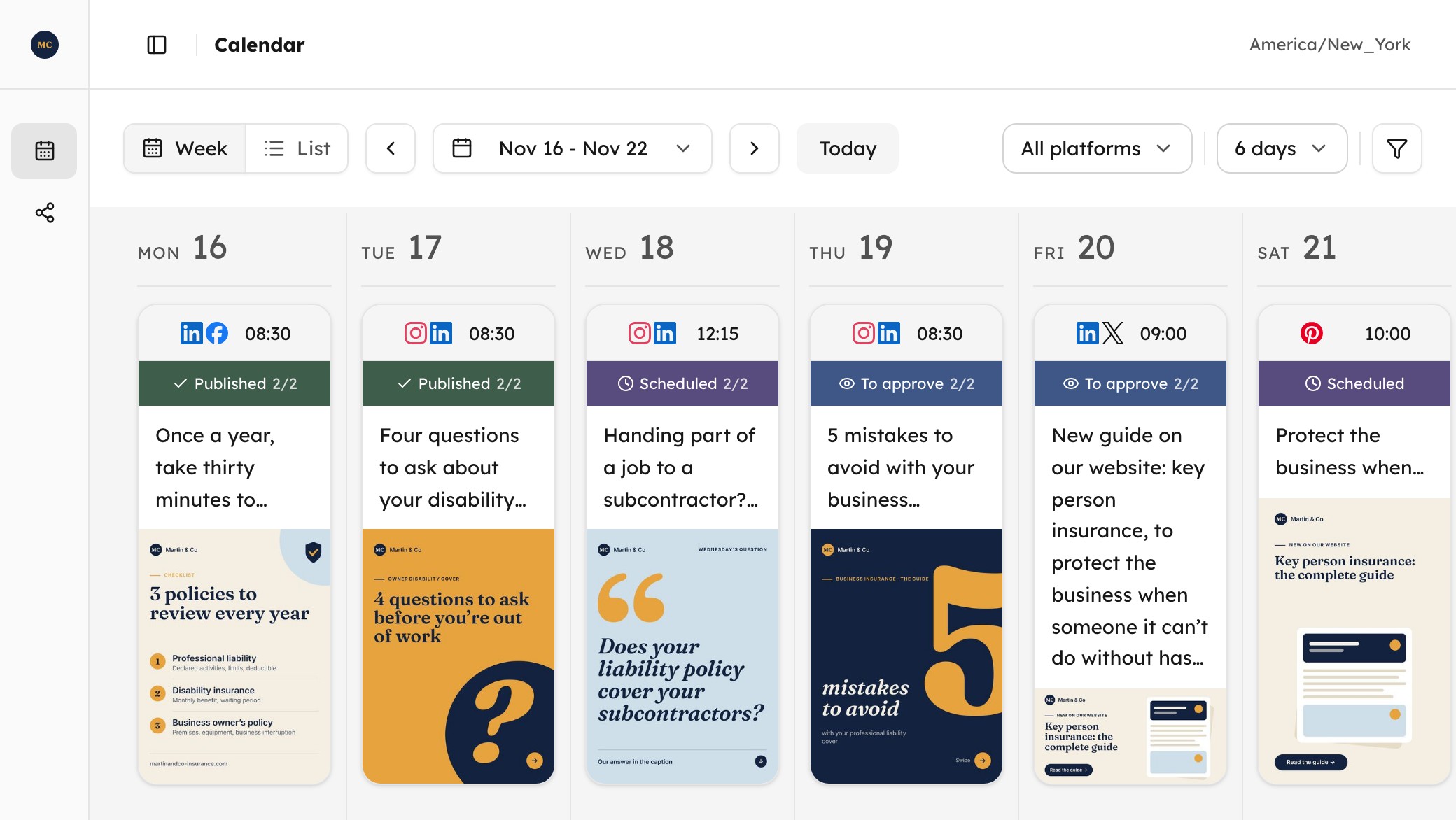
    • A calendar to schedule and track every post.
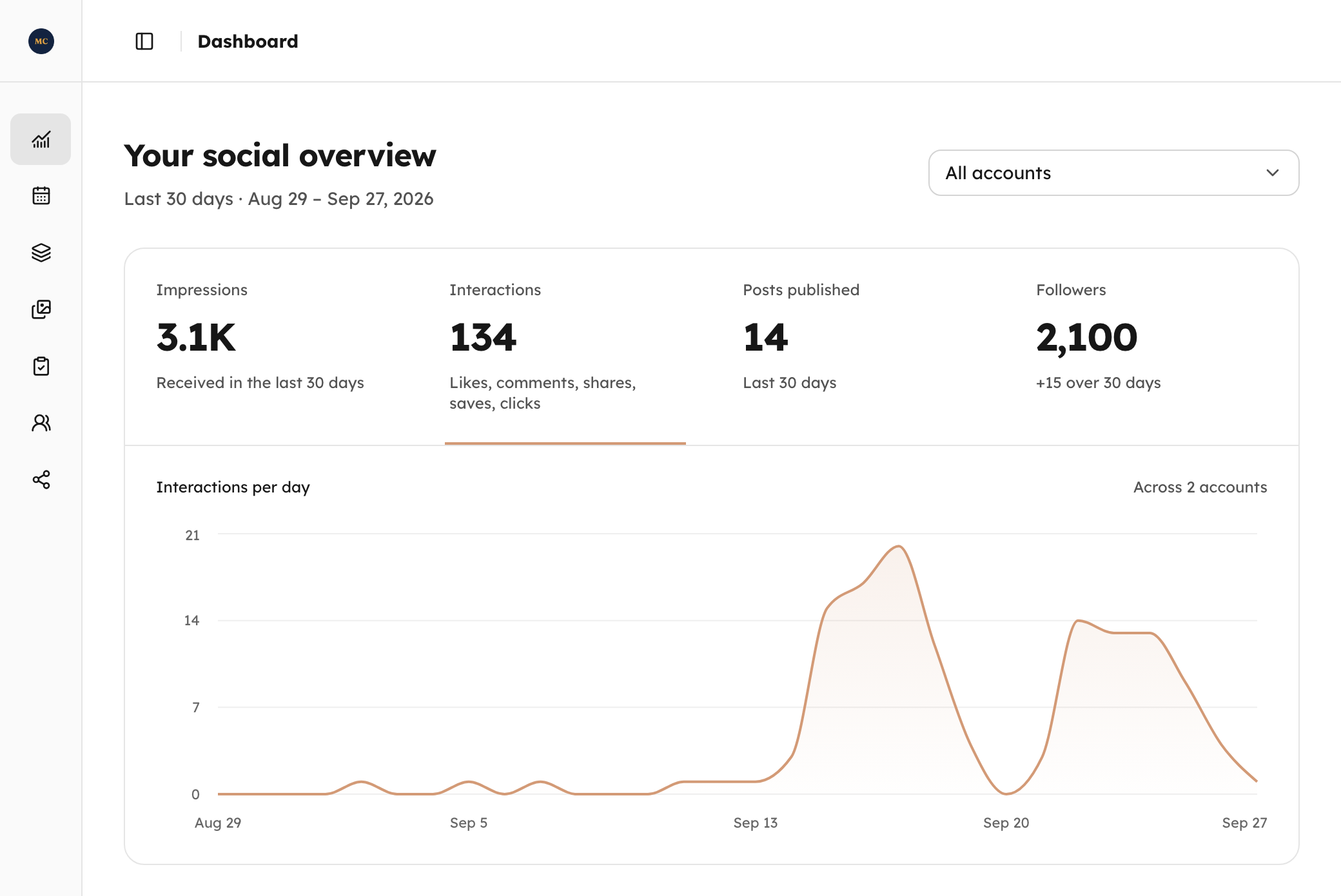
    • Your accounts' statistics in one place.
    Business plan

The result

Posts ready to publish.

Each client has its brand guidelines, each network its format.

  • InstagramPost · Carousel · Story

    voltmerestudio

    Cover of Voltmere Studio’s Instagram carousel: “How to warm up properly in 10 minutes”, in blue and orange.3 slides

    voltmerestudio A rushed warm-up means a wasted workout. Our 3 steps to be ready in 10 minutes are on the blog (link in bio). #fitness #warmup

  • LinkedInPost · Carousel · Text

    Hollinmoor AdvisoryIndependent financial advice

    How much should you keep aside for the unexpected? Our 3 key points at a glance, and the full guide on our blog: hollinmoor.co/emergency-fund

    First page of Hollinmoor Advisory’s LinkedIn document: “Building an emergency fund: what really matters”, on green.3 slides
  • FacebookPost · Carousel · Story

    Little MarjoramNeighbourhood bistro ·

    18 years already! Since 2008 we have cooked every day with the seasons and our neighbouring growers. Thank you, neighbours. Book your table: littlemarjoram.com/book

    Little Marjoram’s Facebook visual: “18 years of cooking with the seasons for our neighbourhood”, on terracotta.
  • PinterestPin
    The Sandlark’s pin: “Our favourite beaches within walking distance”, under a photo of a beach.
  • XPost · Thread

    Taskmere@taskmere

    A reporting tool nobody opens is a wasted subscription. Our 5 criteria: taskmere.com/blog/reporting-tool

    Taskmere’s X post: “How to choose a reporting tool your team will use”, on a light background, beside a photo of a laptop.

Client space

Your clients approve in one click.

Each client has their own space, where they see their posts exactly as they will be published, before they go out.

  • Their posts as they will be published, to approve, comment on or change.
  • A thread on each post: you hear about their messages by email, they hear from you when you decide.
  • They connect their own accounts: no password to ask them for.
  • Contenttosocial appears nowhere, on a neutral address: it’s your service.
  • Free for them, nothing to install: a link by email, Google or a password.
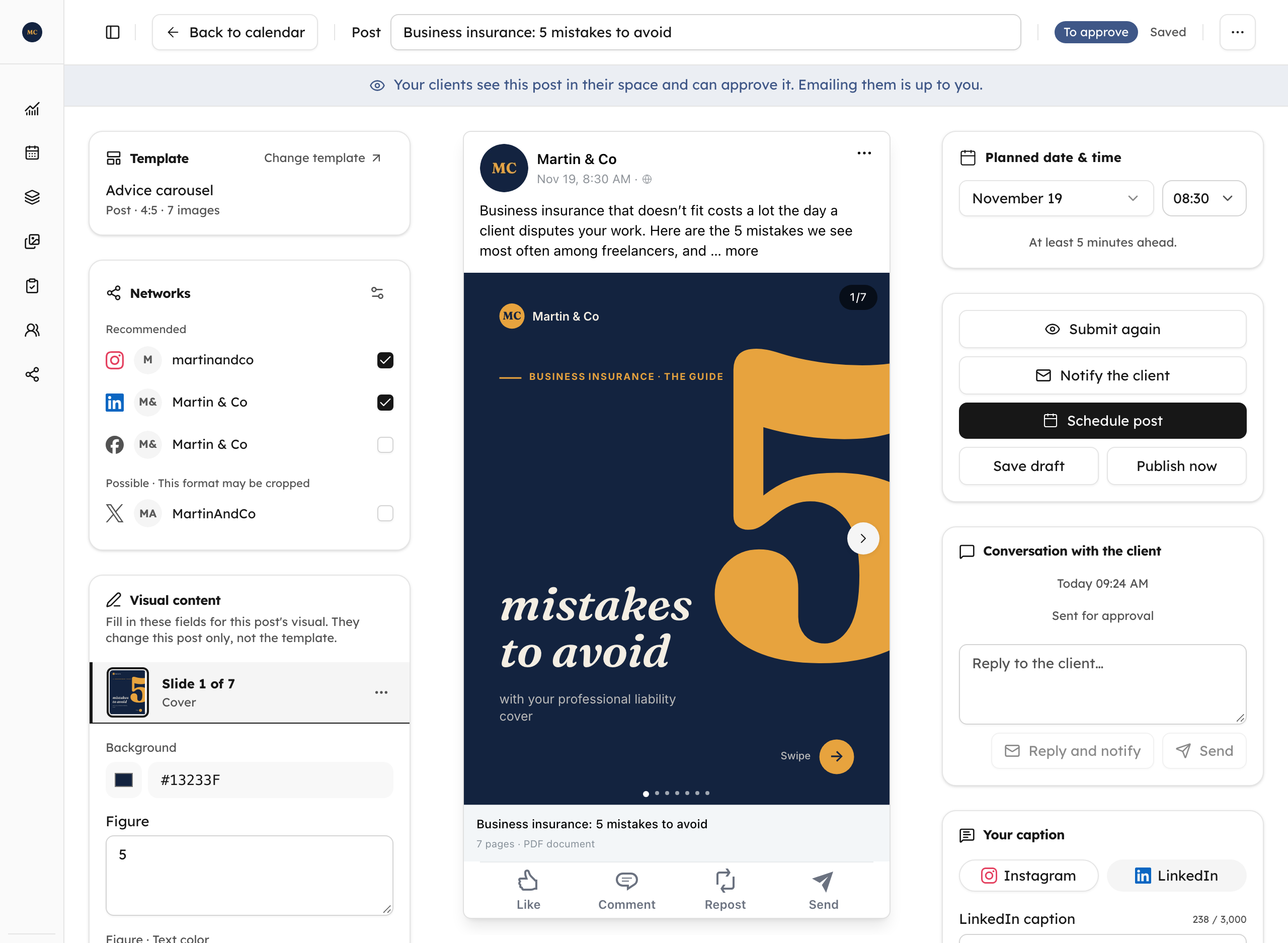
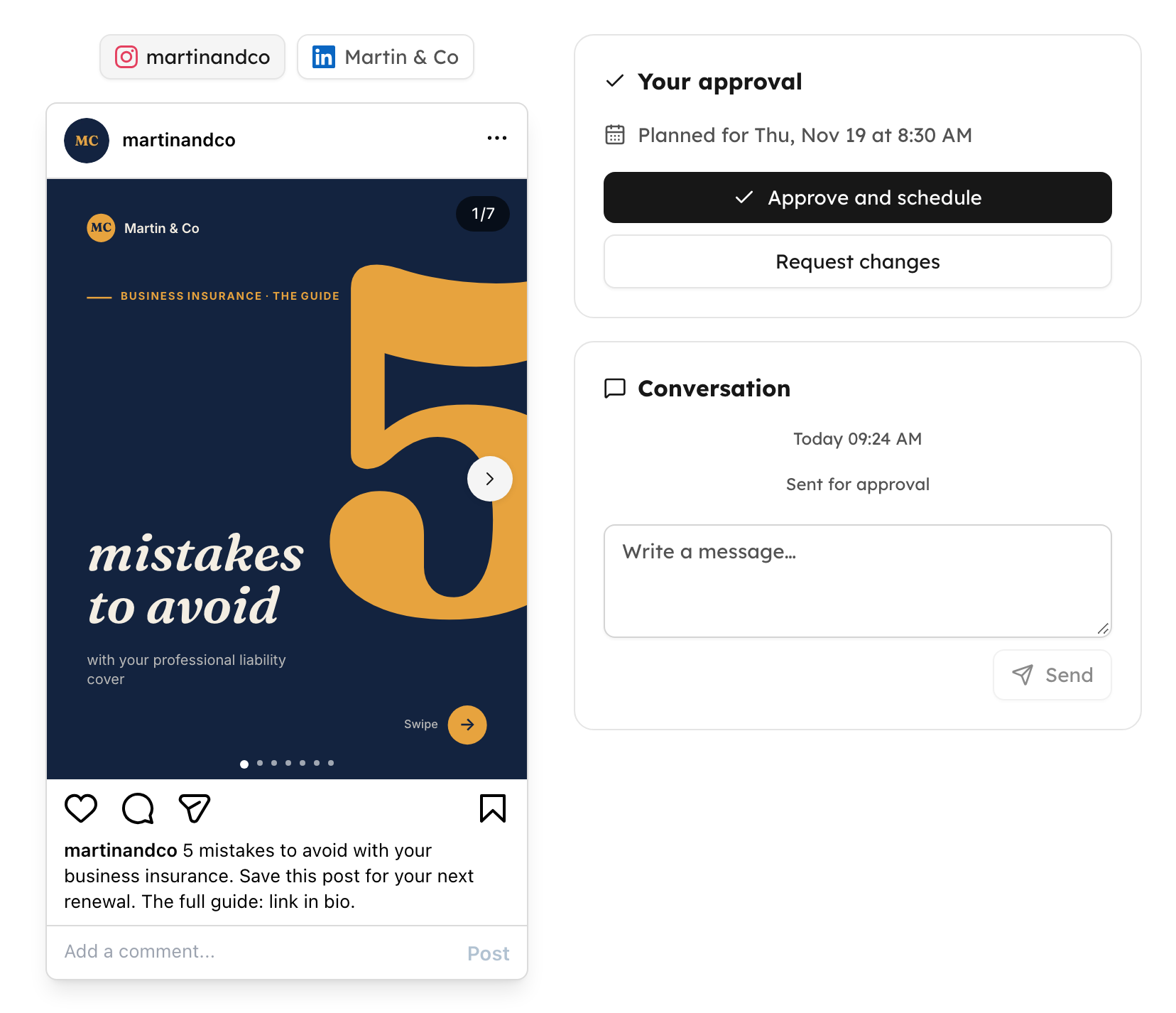
Martin & Co’s client space: the business insurance carousel awaiting approval, beside the Approve and schedule and Request changes buttons and the conversation

MCP

Your agents in charge.

For each of your clients, your agent picks the right template, fills it in, then submits the post for approval or schedules it. From Claude or ChatGPT, without leaving the conversation.

Connect Claude or ChatGPT

Read the MCP guide
Claude · MCPMartin & Co · carousel
create_post
{
  "workspaceId": "3006ae67-2aa8-4a47-82e1-5ece323f0fa6",
  "templateId": "9c41d0b2-7e58-4a1f-b3c6-2d8e5f7a1b94",
  "slides": [
    { "layout": "cover",
      "values": { "figure": "5", "title": "mistakes to avoid" } },
    { "layout": "point",
      "values": { "point_title": "Declaring only part of what you do" } },
    { "layout": "end" }
  ],
  "content":
    "The guide: martinandco-insurance.com/business-insurance-mistakes",
  "platforms": ["instagram", "linkedin"],
  "scheduledFor": "2026-10-01T08:30"
}
MCP
An OAuth-authorised connection to create, schedule and track your clients’ posts.
Claude · ChatGPT
Add the connector and authorise your clients’ workspaces: your agent publishes for them.
5 networks
Instagram, LinkedIn, Facebook, Pinterest and X, from a single instruction.

For your brand and your clients

Sized to your business.

Currency
Choose a plan

Business

For your own brands.

$45/ monthExcl. tax

Number of workspaces1

$25 excl. tax per extra workspace

  • 1 workspace

    Yours to fill: a brand, a project, your personal profile.

  • Not included: White-label client spacesAvailable with Freelance & Agencies
  • 3 social accounts

    3 profiles or pages in total. Instagram, LinkedIn, Facebook (Pages only), Pinterest, X.

  • 1 editorial calendar

    Prepare, schedule and publish your posts from the calendar.

  • 1 template library

    One library per workspace. Create, customize and reuse your own templates.

  • 2,500 image generations per month

    For all your workspaces. A carousel with 5 slides counts as 5 images.

  • 100 posts on X per month

    Including up to 10 posts with a link. One total for all your X accounts. A thread with 3 posts uses 3.

  • MCP included

    Claude or ChatGPT create, schedule and publish your posts.

  • Social account statistics

    Followers and published posts, impressions and interactions. For each workspace. X statistics are not included.

See the detailsHide the details

Freelance & Agencies

For your clients and your own brands.

$55/ monthExcl. tax

Number of workspacesand client spaces1

$35 excl. tax per extra workspace

  • 1 workspace

    Yours to fill: a client, your brand, your personal profile.

  • 1 white-label client space

    One per workspace, under your name, never Contenttosocial’s. Your clients approve, comment or ask for a change there.

  • 3 social accounts

    3 profiles or pages in total. Instagram, LinkedIn, Facebook (Pages only), Pinterest, X.

  • 1 editorial calendar

    One calendar per workspace. Create, get approval if needed, then schedule and publish.

  • 1 template library

    One library per workspace. Create, customize and reuse your own templates.

  • 2,500 image generations per month

    For all your workspaces. A carousel with 5 slides counts as 5 images.

  • 100 posts on X per month

    Including up to 10 posts with a link. One total for all your X accounts. A thread with 3 posts uses 3.

  • MCP included

    Claude or ChatGPT create, schedule and publish your posts and your clients’ posts.

  • Social account statistics

    Followers and published posts, impressions and interactions. For each workspace. X statistics are not included.

See the detailsHide the details

Optional

On both plans

Colleagues

$5excl. tax, per month and per invited person

  • Admin, manager or contributor
  • In the workspaces you open to them
  • MCP access: Claude, ChatGPT
  • Invited by email, in one click

Additional social accounts

$5excl. tax, per month and per account

  • Beyond the 3 included per workspace
  • Assigned to the workspace of your choice
  • + 50 X posts per month, 5 with a link
  • + 800 image generations per month

How much for you?Choose your workspaces, colleagues and accounts: the total updates as you go.

Work it out

FAQ

Frequently asked questions

Does the tool write my posts?

No. Your AI agent or you supply the hooks, slide text and captions. Contenttosocial handles the layout, the scheduling and the publishing, as well as the client space where your clients approve the posts. Your words stay yours.

Which networks can I publish to?

Instagram, LinkedIn (profiles and company pages), Facebook (Pages), Pinterest and X, from one unified calendar per workspace.

Which formats can I create?

Single images and carousels of up to 10 slides, in each network’s formats: 4:5 portrait, square, 2:3 Pinterest pin and landscape for LinkedIn, Facebook and X. On LinkedIn, a carousel goes out as a PDF document. 9:16 stories can be scheduled too, on Instagram and Facebook. Videos and Reels aren’t supported yet.

Can I schedule my posts?

Yes: you pick the date and time, and each post goes out on its own on its network, even when you are not signed in.

How do my clients approve the posts?

They see the exact preview of each post, network by network, and can comment on it, ask for a change or approve it. They have a faithful copy of the publishing calendar you see in your own space and prepare for them, except for drafts, which stay private and only you can see.

How do I talk with my clients?

Each post has its own thread in the client space: your clients comment on it or ask for a change, and you and your managers reply in the same place. The person who submitted the post gets an email about what the clients do, grouped at the pace they choose, from right away to every four hours. Your clients only get the emails you send: the invitation, and a notice when you decide to tell them posts are waiting.

What can my clients do in their space?

They approve, comment on or ask for a change to each post, and can cancel a scheduled post, including one you scheduled without asking them. Approving schedules the post on your date; if that date has passed, it is published at once, after they confirm. You can also let them change the date and time, the captions or the texts on the visual: three options, off by default. A change they make cancels the earlier approval and the schedule, and they approve the new version. They never create a post and never see your drafts.

Do my clients see Contenttosocial?

No. Their space is white-label: a neutral address and your name on every email. They approve and follow their posts there. Included in the Freelance & Agencies plan.

Do I need to code?

No. Everything happens in the app, or from Claude and ChatGPT through the MCP: you run your posts from the conversation.

Can I see the result before signing up?

Without creating an account, you can explore:

SEO agency rankings

Where does your agency rank?

Google positions, citations in Google’s AI answers, the website’s technical setup: every criterion is public and verifiable.

Claim my profile
SEO agencies listed
139
published rankings
4
criteria measured for each
22
  • France139

Ctrl + scroll to zoom (⌘ on Mac)

Country

France

The podium

  1. Noiise80.2/100
  2. Yumens79.8/100
  3. Pixalione78.4/100
See this ranking

Guides

Free SEO, GEO, AI agent and social media guides.

  1. SEO

    Nofollow vs dofollow links: every type of link, explained

    Nofollow, dofollow, sponsored, UGC: what each link type and rel attribute really does in 2026, what Google says, what experiments show, the penalties, and how one site applies it.

    Year nofollow was born
    2005
    Pages with a nofollow link
    32.3%
    Pages using sponsored or ugc
    0.5%

    Updated October 1, 2026 · 22 min read

  2. AI agents

    What is WebMCP? The guide from a site that runs it

    WebMCP explained: how a web page hands tools to the AI agent in your browser, how it differs from MCP, why Safari opposes it, and what we learned shipping 25 tools.

    First proposals
    2025
    Chrome page loads that register a tool
    0.8%
    Browser engines on board
    1 of 3

    Updated October 1, 2026 · 25 min read

Finish your content. Schedule the rest.